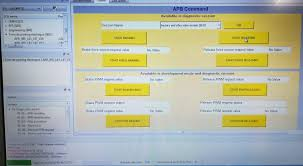

Modern vehicles are filled with electronic systems that control everything from the engine and transmission to safety features and comfort settings. When a problem appears inside one of these systems, the car stores an error message known as a fault code. These fault codes help mechanics and vehicle owners understand what is causing the issue. One of the most useful tools for reading and analyzing these codes in Renault and Dacia vehicles is ddt4all. This software has become popular among automotive enthusiasts because it provides deep access to vehicle modules and allows users to diagnose problems in detail. Learning how to read fault codes using DDT4ALL can save time, reduce repair costs, and improve understanding of vehicle electronics.
What Is DDT4ALL
DDT4ALL is an advanced diagnostic software designed mainly for Renault group vehicles, including Renault, Dacia, Nissan, and some compatible models. The software communicates directly with the electronic control units inside the vehicle. These control units, often called ECUs, manage different functions such as engine performance, airbags, braking systems, lighting, climate control, and multimedia systems.
Unlike basic diagnostic scanners that only show generic error codes, DDT4ALL provides detailed information about manufacturer-specific systems. This makes it highly useful for professional mechanics and experienced car owners who want deeper access to vehicle diagnostics. The software works together with an OBD2 adapter, usually an ELM327 interface, which connects the computer to the car.
Why Fault Codes Are Important
Fault codes are extremely important because they help identify hidden problems inside the vehicle. Modern cars rely heavily on sensors and electronic communication. When one component stops working correctly, the ECU records a code related to the malfunction. These codes can indicate minor issues such as a loose sensor connection or major problems like engine misfires or transmission failures.
Reading fault codes early can prevent small problems from becoming expensive repairs. For example, detecting a failing oxygen sensor early can improve fuel economy and prevent catalytic converter damage. DDT4ALL allows users to read these codes in real time and understand which system requires attention.
Requirements Before Using DDT4ALL
Before starting the diagnostic process, several tools and preparations are required. First, the user needs a laptop or computer with Windows installed. DDT4ALL software must be downloaded and properly installed on the device. An ELM327 OBD2 adapter is also necessary because it acts as the communication bridge between the vehicle and the computer.
The vehicle battery should be fully charged before connecting the software because low voltage can interrupt communication with the ECUs. A stable USB or Bluetooth connection is also important depending on the type of OBD2 adapter being used. It is recommended to use a high-quality ELM327 adapter because cheap versions may fail to communicate with some control modules.
Installing DDT4ALL Software
The installation process of DDT4ALL is relatively simple but requires careful attention. After downloading the software files, the user must install Python if required by the software version. Some versions already include all necessary files while others require additional configuration.
Once installed, the software should be launched and connected to the ELM327 adapter. Correct COM port settings must be selected so the software can communicate with the vehicle. After successful connection, the user can choose the vehicle model and begin scanning available ECUs.
It is always recommended to use updated ECU databases because they contain important communication profiles for different car models. Without the correct database, some modules may not appear inside the software.
Connecting DDT4ALL to the Vehicle
The next step involves physically connecting the OBD2 adapter to the vehicle. The OBD2 port is usually located under the dashboard near the steering wheel. After inserting the adapter, the ignition should be turned on without necessarily starting the engine. This powers the vehicle electronics and allows communication with the ECUs.
Inside DDT4ALL, the user selects the proper connection type and clicks the connect option. If the connection is successful, the software begins detecting available electronic modules. This process may take several minutes depending on the vehicle model and number of systems installed.
Once connected, users will see a list of ECUs such as engine control, ABS, airbags, body control module, climate control, and instrument cluster.
Reading Fault Codes Step by Step
To read fault codes, the user first selects the desired ECU from the module list. For example, if the engine warning light is active, the engine ECU should be opened. Inside the ECU menu, there is usually an option called fault codes, diagnostic trouble codes, or DTCs.
After opening this section, DDT4ALL displays stored and active fault codes. Each code contains a specific number and description explaining the detected problem. Some codes may appear as permanent faults while others may only be temporary or intermittent.
For example, a code related to a sensor failure may include information about signal interruption, voltage problems, or communication errors. DDT4ALL often provides more detailed explanations than standard OBD2 scanners, making diagnosis easier.
Users should carefully read each code and avoid deleting them immediately. The codes provide valuable information that can help identify the real source of the problem.
Understanding Fault Code Information
Reading the code itself is only part of the diagnostic process. Understanding the meaning behind the code is equally important. Fault codes usually point toward the affected system but do not always identify the exact failed component. For instance, a fuel mixture error could result from a vacuum leak, faulty sensor, fuel injector issue, or wiring problem.
DDT4ALL helps by displaying live data from sensors and control systems. Users can monitor values such as engine temperature, fuel pressure, throttle position, oxygen sensor readings, and battery voltage. Comparing these values with normal operating ranges allows deeper analysis of the problem.
Many experienced users combine fault code reading with live parameter monitoring to confirm the root cause before replacing any parts.
Clearing Fault Codes Safely
After repairs are completed, fault codes can be cleared using DDT4ALL. Inside the diagnostic menu, users can select the clear faults option. The software then sends commands to erase stored codes from the ECU memory.
However, clearing codes should only be done after fixing the actual problem. If the issue still exists, the fault code will usually return after driving the vehicle again. Repeatedly clearing codes without solving the problem can hide important warning signs and potentially cause further damage.
It is also important not to modify ECU settings unless fully understood. DDT4ALL offers advanced programming features, and incorrect changes may affect vehicle operation.
Advantages of Using DDT4ALL
One major advantage of DDT4ALL is the level of access it provides compared to ordinary diagnostic scanners. The software can access hidden functions, advanced parameters, and manufacturer-specific modules that many standard tools cannot detect.
Another benefit is cost savings. Instead of visiting a workshop for every warning light or electronic issue, vehicle owners can perform basic diagnostics themselves. This allows faster troubleshooting and better communication with professional mechanics when repairs are needed.
DDT4ALL also supports customization features in some vehicles, including activation of hidden functions and system configuration changes, although these actions should only be performed carefully by knowledgeable users.
Conclusion
DDT4ALL is a powerful diagnostic tool that allows users to read and understand vehicle fault codes in great detail. By connecting the software to the vehicle through an ELM327 adapter, users can access electronic control units, identify stored errors, monitor live sensor data, and clear codes after repairs. Understanding how to use ddt4all properly can help car owners diagnose problems early, reduce maintenance expenses, and gain better knowledge of modern vehicle electronics. Although the software is extremely useful, users should operate it carefully and avoid making unnecessary configuration changes inside the vehicle systems. With proper use, DDT4ALL becomes an excellent solution for advanced automotive diagnostics and fault code analysis.